
Welcome to the definitive guide on the 15 Proven Secrets: How to Optimize a Website for Google. If you are staring at your analytics dashboard wondering why your traffic is flatlining, you are not alone. Millions of site owners struggle to get eyes on their content. The algorithms change daily, competitors are relentless, and the rules of search engine optimization (SEO) feel like a moving target. But figuring out exactly how to optimize a website for Google is the single highest-return skill you can master as a digital business owner.
This is not another generic list of basic tips. We are tearing down the exact framework required to dominate search results today. We will cover technical foundations, content mastery, and authority building so you can stop guessing and start ranking. If you want to know the 15 Proven Secrets: How to Optimize a Website for Google effectively, read every single word of this guide.
Table of Contents
Phase 1: The Technical Foundation
Before you write a single blog post, your site must be technically flawless. Google relies on automated bots (spiders) to crawl and index your pages. If these bots hit a roadblock, your content will never see the light of day. Learning the 15 Proven Secrets: How to Optimize a Website for Google always starts under the hood.
1. Crush Your Core Web Vitals
Site speed is no longer just a recommendation; it is a strict ranking factor. Google’s Core Web Vitals measure the real-world user experience of your site.
- Largest Contentful Paint (LCP): Measures loading performance. Your main content should load within 2.5 seconds.
- First Input Delay (FID) / Interaction to Next Paint (INP): Measures interactivity. Your site must respond to clicks instantly.
- Cumulative Layout Shift (CLS): Measures visual stability. Elements on your page should not jump around as they load.
To fix these issues, compress your images using formats like WebP. Utilize a premium caching plugin, and upgrade to a dedicated or high-quality managed hosting provider. Slow hosting is the silent killer of SEO campaigns.
2. Implement Flawless Mobile-First Indexing
Google indexes the mobile version of your site before the desktop version. If your mobile site is broken, your rankings will tank across all devices.
- Responsive Design: Ensure your theme adapts perfectly to any screen size.
- Touch Elements: Buttons and links must be spaced far enough apart so fat thumbs do not accidentally click the wrong thing.
- Identical Content: Never hide text on your mobile site that is visible on desktop. Google needs to see the exact same information to rank you properly.
3. Master Crawlability and Indexation
You must roll out the red carpet for search engine bots. Understanding the 15 Proven Secrets: How to Optimize a Website for Google means understanding how bots read your site structure.
- XML Sitemap: Generate a dynamic XML sitemap and submit it directly to Google Search Console. This acts as a roadmap for your site.
- Robots.txt: Optimize this file to keep bots away from useless pages (like author archives or checkout pages) and direct them toward your money content.
- Fix Broken Links: A 404 error is a dead end for a spider. Run a crawl using a tool like Screaming Frog and fix every broken link by setting up 301 redirects.
Phase 2: On-Page Optimization Secrets

Once your technical house is in order, you need to tell the algorithm exactly what your pages are about. This requires strategic placement of words and phrases without looking spammy, which is a core part of the 15 Proven Secrets: How to Optimize a Website for Google.
4. Decode True Search Intent
Search intent is the “why” behind a user’s search. If someone searches for “buy running shoes,” they want an e-commerce page. If they search for the 15 Proven Secrets: How to Optimize a Website for Google, they want a comprehensive, step-by-step guide.
Always Google your target keyword before writing. Look at the top five results. Are they listicles, long-form guides, or product pages? Your content must match the dominant format, or you will never rank.
5. Optimize Your Title Tags and Meta Descriptions
Your title tag is the most critical piece of on-page SEO real estate. It must hook the reader and satisfy the search engine simultaneously.
- Front-Load Keywords: Place your main keyword as close to the beginning of the title as possible.
- Use Power Words: Words like “Proven,” “Ultimate,” “Secret,” and “Fast” increase click-through rates (CTR).
- Compelling Meta Descriptions: While not a direct ranking factor, a high CTR boosts your rankings. Write your meta description like an advertisement for your content.
6. Perfect the Header Hierarchy (H1, H2, H3)
Think of headers as the outline of a book. They break up the text and help search engines understand the structure of your arguments.
- One H1 Tag: Your page must have exactly one H1 tag, and it should contain your primary keyword.
- Logical H2s and H3s: Use H2s for main sections and H3s for sub-points. Sprinkle secondary keywords naturally into these headers.
7. Strategic Keyword Density and Placement
Keyword stuffing died a decade ago. Today, understanding the 15 Proven Secrets: How to Optimize a Website for Google requires semantic richness.
Include your primary keyword in the first 100 words, the last 100 words, and scattered naturally a few times in the body. Then, focus on LSI (Latent Semantic Indexing) keywords. If you are writing about coffee, include words like “espresso,” “barista,” “beans,” and “roast.” This builds a web of relevance.
Phase 3: Content Mastery and EEAT
Google wants to rank content written by real experts. The algorithm specifically looks for Experience, Expertise, Authoritativeness, and Trustworthiness (EEAT).
8. Write Comprehensive, Long-Form Content
Thin content does not survive in modern search results. To truly grasp the 15 Proven Secrets: How to Optimize a Website for Google, you must become the definitive resource on your topic.
Do not just define a problem; solve it completely. Include step-by-step tutorials, custom graphics, original data, and actionable takeaways. The longer a user stays on your page reading, the more signals Google gets that your content is highly valuable.
9. Build Topical Authority with Content Silos
Stop writing random, disconnected blog posts. You need to build content clusters.
Create a massive “Pillar Page” covering a broad topic. Then, write 10-15 smaller “Cluster Pages” that dive deep into subtopics. Link all the cluster pages back to the pillar page, and link the pillar page to the clusters. This structure turns your site into a topical powerhouse, proving your expertise to the algorithm.
10. Prove Your Trustworthiness
Anonymity hurts your rankings. You must show users and search engines exactly who is behind the information.
- Author Bios: Include a detailed author box on every post highlighting your credentials and experience in the industry.
- About Us Page: Tell the story of your company, list your physical address, and provide contact information.
- Privacy Policy and Terms: These legal pages act as trust signals for search evaluators.
Phase 4: User Experience (UX) and Engagement
If you get a visitor to click your link but they immediately hit the back button, your rankings will plummet. This is called “pogo-sticking,” and it is terrible for SEO. Here is a key element of the 15 Proven Secrets: How to Optimize a Website for Google by keeping users glued to the screen.
11. Hook Readers in the First 3 Seconds
Your introduction must be punchy. Avoid long, boring background information. Use the PAS formula:
- Problem: Identify the reader’s exact pain point immediately.
- Agitate: Explain why this problem is costing them time, money, or happiness.
- Solution: Present your article as the ultimate fix.
12. Format for Scannability
Nobody reads giant walls of text on a screen. People scan.
- Keep paragraphs short (two to three sentences maximum).
- Use bulleted lists to break down complex data.
- Bold important concepts to guide the reader’s eye down the page.
- Incorporate multimedia like videos, infographics, and charts to break up the text.
13. Master the Art of Internal Linking
Internal linking is the most underutilized strategy in SEO. When you publish a new post, go to your older, high-performing posts and add links pointing to the new one. Use descriptive anchor text. This passes “link juice” and authority from your established pages to your new content, helping it rank faster.
Phase 5: Off-Page SEO and Authority

Your on-page efforts will only take you so far. To dominate highly competitive niches, you need votes of confidence from the rest of the internet. In the SEO world, these votes are called backlinks.
14. Earn High-Quality Backlinks
Not all links are created equal. One link from a massive industry news site is worth a thousand links from spammy directories. If you want to master the 15 Proven Secrets: How to Optimize a Website for Google, you must master outreach.
- Digital PR: Create data-driven studies or industry surveys and pitch them to journalists.
- Guest Posting: Write incredibly valuable content for authoritative sites in your niche in exchange for a link back to your site.
- Unlinked Brand Mentions: Use tools to find places where people mentioned your brand name but did not link to you. Email them and politely ask for the hyperlink.
15. Leverage Social Signals and Brand Search
While social media shares are not a direct ranking factor, they drive traffic. The more traffic you get, the more likely people are to naturally link to your content.
Furthermore, Google tracks “brand search.” If thousands of people are typing your brand name into the search bar, it signals that you are a recognized entity. Build an email list, run targeted ads, and stay active on social media to drive this brand awareness.
The Ultimate SEO Optimization Checklist
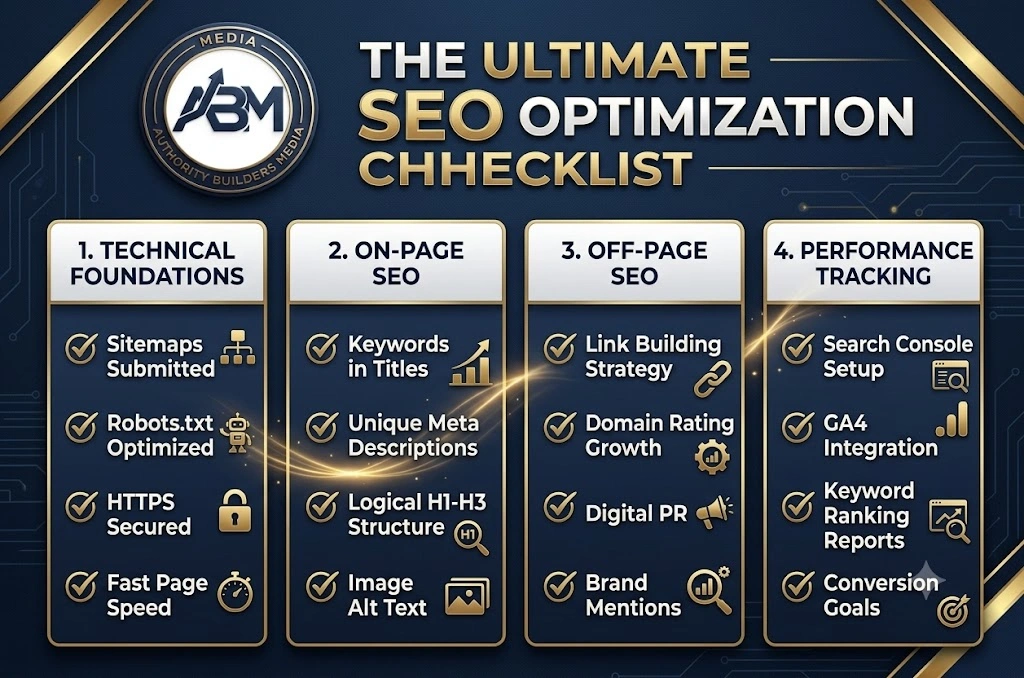
Use this quick-reference table as part of our 15 Proven Secrets: How to Optimize a Website for Google to audit your pages before you hit publish. If you skip these steps, you are missing out on easy traffic.
| SEO Element | Action Required for Maximum Optimization |
| Target Keyword | Ensure it is in the URL, Title, H1, and first 100 words. |
| Search Intent | Verify your content format matches the top 5 ranking pages. |
| Page Speed | Compress all images (WebP) and ensure LCP is under 2.5 seconds. |
| Internal Links | Add 3-5 links pointing to your other relevant articles. |
| External Links | Link out to 2-3 authoritative, non-competing industry sources. |
| Readability | Break up text with bolding, short paragraphs, and custom images. |
| Mobile Check | Load the page on a smartphone to ensure no formatting errors exist. |
| Meta Description | Write a click-driven description containing the primary keyword. |
Phase 6: The Secret Weapon of Schema Markup (Structured Data)
If you want to communicate directly with search engine algorithms, you need to speak their native language. This language is called Schema Markup. When learning the 15 Proven Secrets: How to Optimize a Website for Google, structured data is your ultimate secret weapon to dominate the search engine results pages (SERPs) with eye-catching rich snippets.
Schema markup is a form of microdata (specifically JSON-LD format) that you embed directly into your website’s backend code. It does not change how your page looks to a human visitor reading your blog, but it explicitly tells the automated bots exactly what your content means. For instance, if you are publishing an article about a recipe, schema tells Google the exact preparation time, calorie count, and user ratings. If you are selling a product, it highlights the price and availability.
This allows search engines to display a “Rich Snippet” with star ratings, images, and extra links right in the search results. Sites that secure these rich snippets experience a massive surge in their organic click-through rates. You end up stealing traffic right out from under competitors who might be ranked a spot higher but look entirely boring in the SERPs. When mastering the 15 Proven Secrets: How to Optimize a Website for Google, implementing FAQ schema, Article schema, and Local Business schema is absolutely non-negotiable.
Phase 7: Mastering Voice Search and Natural Language Processing (NLP)
With the rapid global adoption of smart speakers and voice-activated mobile assistants, the way real people search the internet has fundamentally changed. Typing a query looks like “best SEO tools,” but speaking a query sounds like, “Hey Google, what are the best free SEO tools for a beginner to use?”
To truly understand the 15 Proven Secrets: How to Optimize a Website for Google today, you must optimize for natural, conversational language. Voice searches are significantly longer and almost always phrased as a direct question (Who, What, Where, When, Why, How). To capture this massive and growing segment of search traffic, you need to incorporate a robust Frequently Asked Questions (FAQ) section at the bottom of all your major blog posts.
Write out the exact conversational question in an H3 header tag, and provide a clear, concise, and direct answer in the paragraph immediately below it (aim for 40 to 50 words per answer). Anyone figuring out the 15 Proven Secrets: How to Optimize a Website for Google for the future must adapt to NLP algorithms. Google’s BERT and MUM updates are specifically designed to understand context, sentiment, and the nuances of human speech. Ditch the robotic keyword placements and write as if you are explaining the concept to a friend sitting across from you.
Phase 8: Defeating Content Decay (Historical Optimization)
Many webmasters make the fatal mistake of hitting the publish button and completely forgetting about their article. The hard truth about the 15 Proven Secrets: How to Optimize a Website for Google is that old content slowly dies. This phenomenon is known as “content decay.” Over time, your competitors publish newer, fresher guides, your internal links break, and the data you cited becomes obsolete.
Historical optimization is the process of auditing your existing content library and breathing new life into decaying posts. Every six months, log into your Google Analytics and Google Search Console dashboards. Identify pages that used to drive heavy traffic but have slowly dropped from page one to page two or three.
Instead of writing a brand new post from scratch, update the old one. Add newly discovered LSI keywords, replace outdated statistics with current data, expand thin sections with fresh paragraphs, and most importantly, update the “Published On” date. Search engines crave fresh content. By updating a decaying asset, you signal to the algorithm that the page is relevant again. This is exactly why the 15 Proven Secrets: How to Optimize a Website for Google emphasizes historical optimization for maximum efficiency, getting double the traffic for half the effort of writing a new post.
Phase 9: Advanced Off-Page Guest Posting Strategies
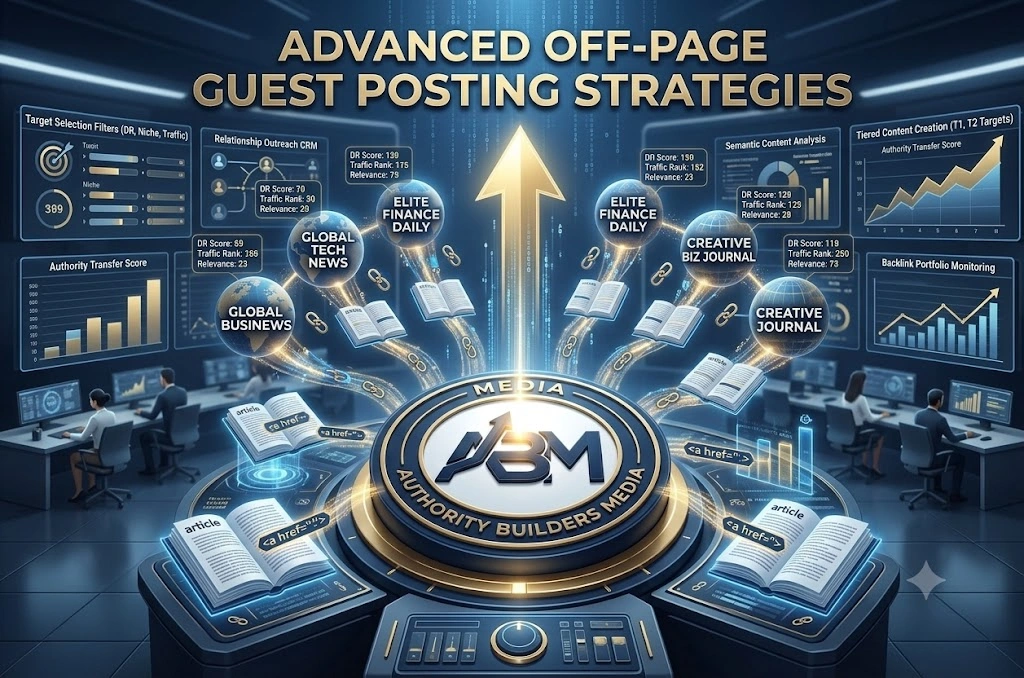
As we discussed earlier, backlinks are the currency of the internet. While digital PR and broken link building are excellent tactics, strategic guest posting remains one of the most powerful ways to build extreme domain authority. However, the days of spamming low-quality articles to random websites are over.
Understanding the 15 Proven Secrets: How to Optimize a Website for Google means understanding relationship building. You need to identify high-Authority (DR 50+) websites that exist strictly within your niche. If you run a digital marketing blog, getting a backlink from a cooking website does nothing for you. You need links from other marketing, tech, and business sites.
When you pitch a guest post, do not send a generic email. Offer to write a highly technical, deeply researched piece of content that their audience will genuinely love. In return, place one natural, contextual link back to a relevant pillar page on your own site. This passes highly concentrated “link juice” and topical relevance. If you want to know the 15 Proven Secrets: How to Optimize a Website for Google effectively without triggering any manual spam penalties, stick strictly to high-quality, relevant guest posting.
Phase 10: The Unseen Power of User Experience (UX) and Dwell Time
Finally, you cannot trick the algorithm with good keywords if your website is a nightmare to navigate. Google heavily monitors “Dwell Time,” which is the amount of time a user spends on your page before clicking the back button to return to the search results.
If someone searches for your primary keyword, clicks your link, and instantly bounces because of a massive popup ad or a confusing layout, Google assumes your page did not answer their query. Your rankings will drop instantly.
A crucial step in the 15 Proven Secrets: How to Optimize a Website for Google locally and globally is removing friction. Ensure your font size is large enough to read on mobile devices without zooming. Use plenty of white space between paragraphs. Add a clickable Table of Contents at the top of long guides so users can jump exactly to the section they need. The longer you keep a user engaged, clicking through your internal links, and reading your content, the more the algorithm trusts your site as an authoritative resource.
Phase 11: Answer Engine Optimization (AEO) and AI Overviews
Search is no longer just about generating a list of blue links; it is about providing instant answers. With the rise of Generative AI in search results, understanding the 15 Proven Secrets: How to Optimize a Website for Google now means mastering Answer Engine Optimization (AEO). When users type a question, Google often uses artificial intelligence to generate a direct, synthesized summary at the very top of the page. If you want your content to be cited in these AI overviews, you have to structure your writing flawlessly.
To optimize for AEO, your content must be highly scannable and factually dense. Avoid long-winded, philosophical introductions. If the user asks, “What is the best temperature for baking sourdough?” answer it immediately in the first sentence: “The ideal baking temperature for sourdough bread is 450°F (232°C).” Once you have provided the direct answer, use the rest of the paragraph to explain the why and the how. By formatting your content to directly feed Google’s AI data-mining bots, you drastically increase your chances of becoming the primary cited source in generative search summaries.
Phase 12: Entity-Based SEO and The Knowledge Graph
For years, digital marketers obsessed over exact-match keywords. Today, the algorithm does not just read words; it understands “Entities.” An entity is a singular, unique, well-defined concept—it can be a person, place, brand, idea, or product. Google’s Knowledge Graph maps out how all these entities are connected to one another.
If you want to know the 15 Proven Secrets: How to Optimize a Website for Google at an elite level, you must shift your focus from keyword stuffing to entity building. You do this by demonstrating topical depth. If your blog is about “Digital Marketing,” Google expects to see related entities connected to your brand, such as “Social Media,” “Conversion Rate Optimization,” “Pay-Per-Click,” and “Email Automation.” The more completely you cover a topic and all its related sub-topics, the stronger your entity presence becomes. Link out to highly authoritative external sources (like Wikipedia or official government websites) to help search engines connect your page to trusted, established entities in your niche.
Phase 13: Maximizing Crawl Budget and Technical Audits
For massive websites or rapidly growing blogs, technical SEO goes far beyond just site speed. You have to manage your “Crawl Budget.” Google does not have infinite server resources. They assign a specific amount of time and resources to crawl your website. If their bots waste that budget crawling useless pages, duplicate tags, or broken links, your most important money-making pages will never get indexed.
Mastering the 15 Proven Secrets: How to Optimize a Website for Google requires ruthless technical auditing. First, ensure you are utilizing your robots.txt file to block bots from crawling endless paginations, user-generated tag pages, or backend admin URLs. Second, conduct a log file analysis to see exactly how search engine spiders interact with your site. Are they getting stuck on 404 error loops? Are there 301 redirect chains slowing them down? By cleaning up your site architecture and ensuring every internal link points to a live, 200-status page, you allow Google to crawl your site faster, deeper, and more efficiently.
Phase 14: E-Commerce and Transactional Intent Optimization
If you are running an online store, your optimization strategy requires a completely different approach compared to a standard informational blog. E-commerce SEO is fiercely competitive and relies heavily on understanding transactional search intent. When someone searches for “buy red running shoes size 10,” they do not want to read a 2000-word history of running shoes; they want to see a product category page with clear images, prices, and an “Add to Cart” button.
To figure out the 15 Proven Secrets: How to Optimize a Website for Google for shopping algorithms, start by optimizing your category pages with brief, descriptive text and clean URL structures. Next, implement Product Schema markup on every individual item to ensure prices, stock availability, and user reviews show up directly in the search results. Finally, tackle faceted navigation carefully. E-commerce sites often generate thousands of duplicate URLs through product filters (e.g., sorting by color or price). Use canonical tags to point these filtered URLs back to the primary category page, ensuring you do not dilute your SEO authority across hundreds of identical pages.
Phase 15: Conversion Rate Optimization (CRO) Meets SEO
At the end of the day, traffic is merely a vanity metric if it does not translate into revenue. The final step in learning the 15 Proven Secrets: How to Optimize a Website for Google is aligning your organic traffic with Conversion Rate Optimization (CRO). Search engines monitor user behavior closely. If a user lands on your site and immediately clicks your “Call to Action” (CTA) or spends five minutes filling out a lead form, it sends a massive positive signal back to the algorithm that your page satisfied their need.
Audit the User Interface (UI) of your top-ranking pages. Are your CTAs highly visible and contrasting in color? Is your checkout or lead-capture process frictionless? Are you offering a lead magnet (like a free eBook or checklist) to capture email addresses from informational traffic? By aggressively testing your headlines, button placements, and page layouts, you not only increase your sales, but you also improve the engagement metrics that Google uses to rank your site. True SEO success is not just about bringing people to your digital doorstep; it is about confidently guiding them inside.
Frequently Asked Questions (FAQ)
1. How long does it take to see results when learning the 15 Proven Secrets: How to Optimize a Website for Google?
Generally, it takes 3 to 6 months to see noticeable ranking improvements for established websites, and 6 to 12 months for brand-new domains. SEO is a long-term compounding strategy rather than an overnight fix. The speed of your results depends heavily on your niche competitiveness, technical site health, existing domain authority, and how consistently you publish high-quality content.
2. What is the single most critical factor among the 15 Proven Secrets: How to Optimize a Website for Google?
The most critical factor is aligning your content with search intent while maintaining a solid technical foundation. If Google’s spiders cannot properly crawl your site due to technical errors, or if your content fails to immediately answer the searcher’s query, no amount of backlinks or keywords will help you rank on page one.
3. What is the ideal keyword density for modern SEO?
The ideal keyword density is typically around 1% to 1.5% (roughly 1 mention per 100 words). Search engines penalize “keyword stuffing.” Instead of forcing exact-match keywords into every paragraph, focus on natural readability, topical depth, and using semantic LSI (Latent Semantic Indexing) keywords related to your core subject.
4. Can I rank on Google without building high-authority backlinks?
Yes, you can rank for low-competition, long-tail keywords using pure on-page SEO and topical authority. However, if you are targeting competitive commercial or high-volume keywords, acquiring high-quality contextual backlinks through guest posting and digital PR is non-negotiable to build domain authority.
5. How often should I audit and update my old blog posts?
You should conduct a content audit every 6 to 12 months. Updating decaying content by adding current data, fixing broken links, refreshing outdated images, and adjusting the publication date signals to Google that your page remains relevant, often restoring lost organic traffic quickly.